QTE Dev Log #3 - Scoring System and Menus
I’m making a recreation of the Excite QTE minigame from the Shenmue series of games. In the last blog post, I went over how I developed a working prototype for the game. In this one, I’ll update on various things I’ve added to the game since, including the scoring system.
I normally am not one to bring up a gap between blog posts, but I think it’s warranted here. I am a perfectionist, and I let that get in the way of updating this blog about my game. For the most part, QTE’s scoring system has been done since November. While I can point to various things in my life being crazy that led me to put game development on the back burner, there really wasn’t a good reason for me not to write about the progress I had made.
Perfectionism ultimately won out when it came to me writing this blog post, but that’s not to say I didn’t have my victories as I returned to game development. Let’s get into that now!
Menus
I did not originally plan to work on the menus of the game until after I had finished the scoring system, but two things were really bothering me about putting it off. Firstly, I really wanted to make sure I had credits to the game, especially to make sure I wouldn’t forget to credit any playtesters. Secondly, I couldn’t help myself but be inspired by a game that came into early access recently-ish: Moves of the Diamond Hand.
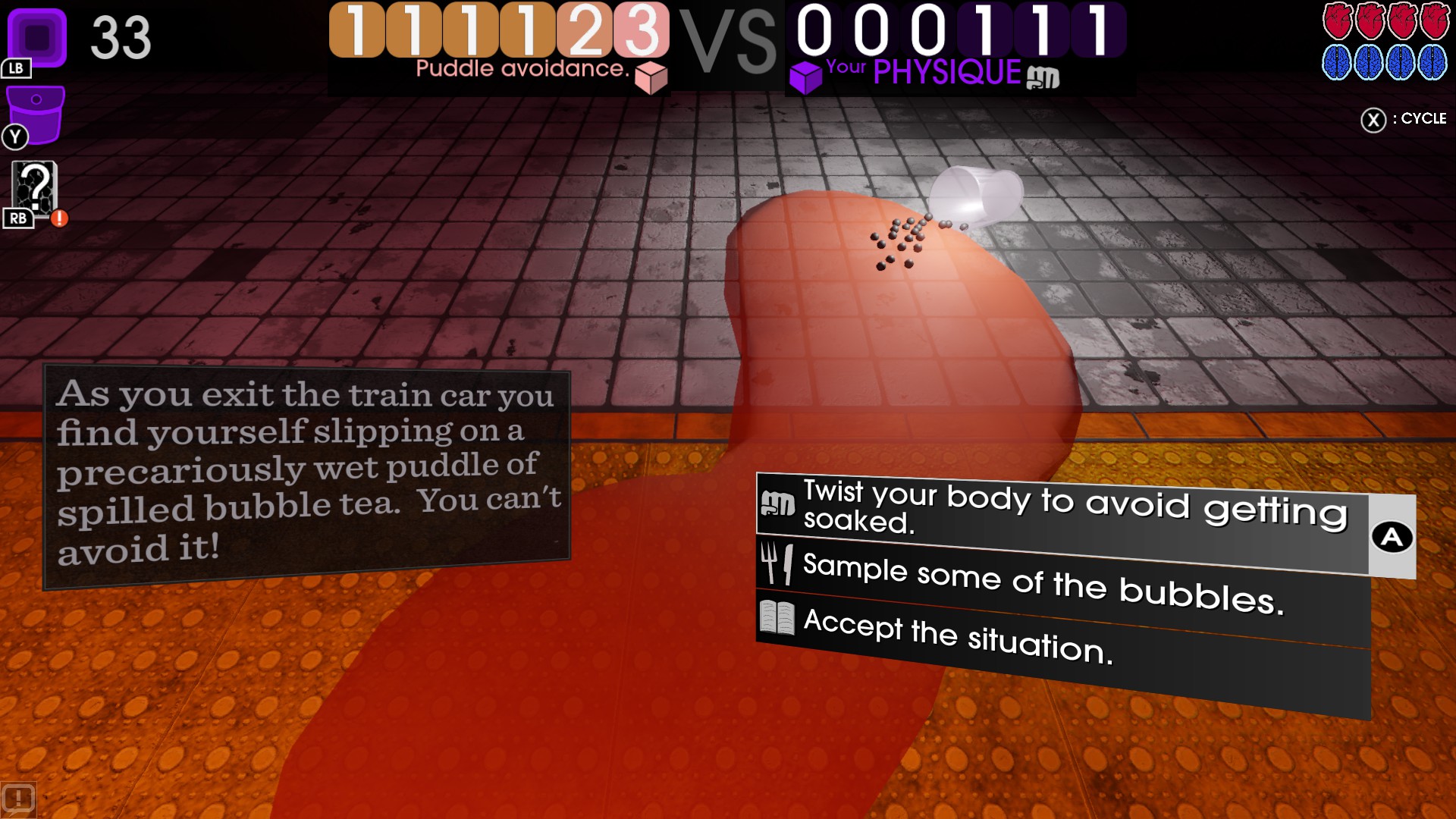
I really like how the menu at the bottom right looks. I am used to video game menus having a list of what buttons do at the bottom of the screen (like “A Select, B Cancel”). Although I’m sure Cosmo D didn’t invent the idea of having button prompts integrated into the buttons themselves, I love how clearly focused the button is while simultaneously making sure the player knows what button to press (even though A is kinda obvious to the seasoned gamer). I decided that all menu buttons in my game would look like this, leading me to the main menu UI seen below:
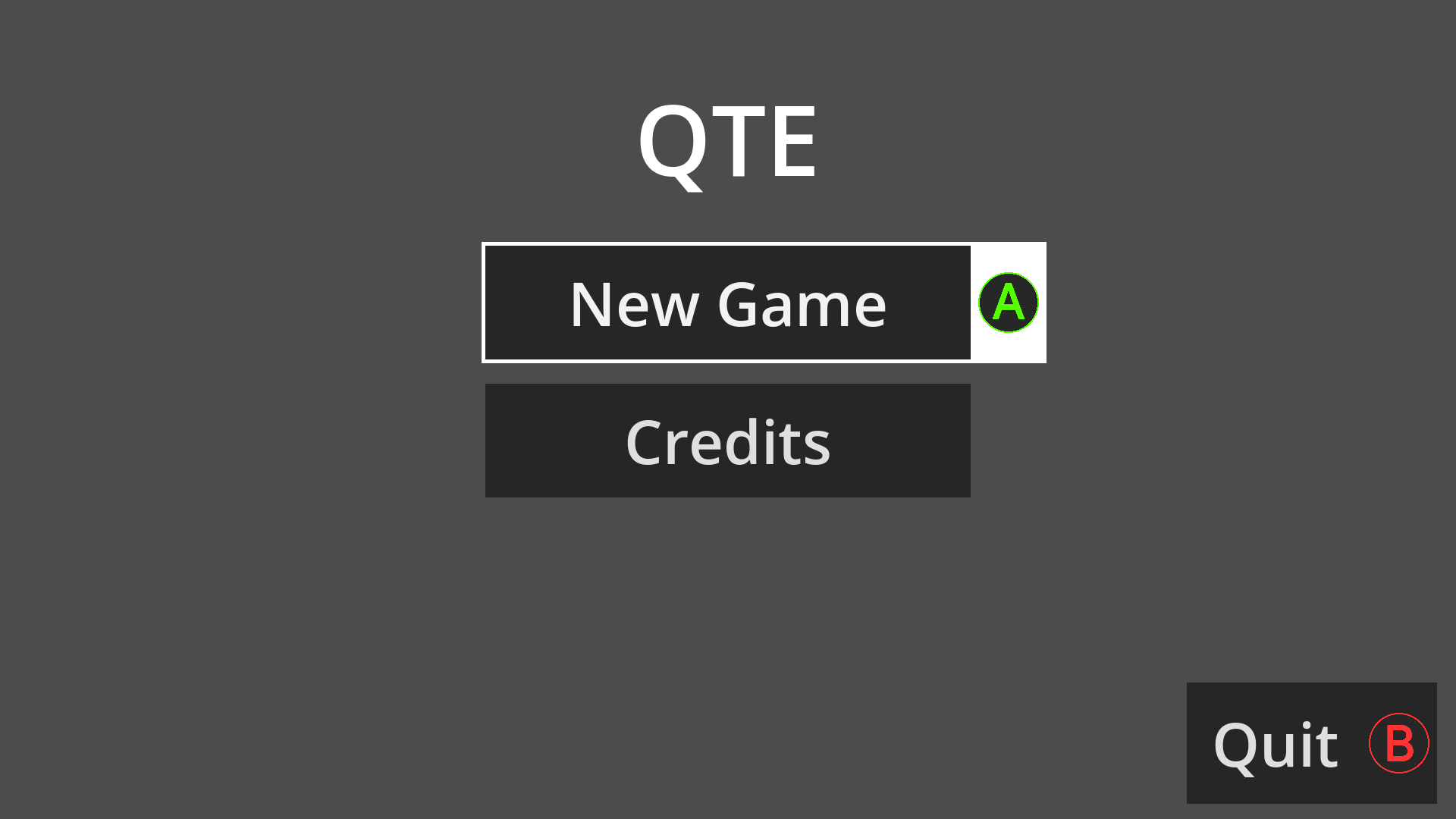
Now, the menus are still very bare-bones, but I think the buttons have brought some extra life to the game regardless. I’m proud of myself for not over-optimizing the buttons, nor the credits screen itself (which I won’t show since I might add more people to the credits as time goes on). I simply copied and pasted an old credits screen build I developed a few months back without worrying about how messy the code was. If it works, it works!
Scoring System
Back in November, I had someone test out the game for a short while. It was clear that people less familiar with Excite QTE had problems with the high ramp-up in difficulty I had mimicked. I now have three different difficulty levels temporarily named “Easy,” “Medium,” and “Hard.” All difficulties still earn the same amount of points, it’s just the speed of the prompts which varies.
You always earn a maximum of 100 points per prompt, with the score multiplier increasing for every 10 correct presses. Every 8,000 points you earn, you get another life with no maximum number of lives you can earn.
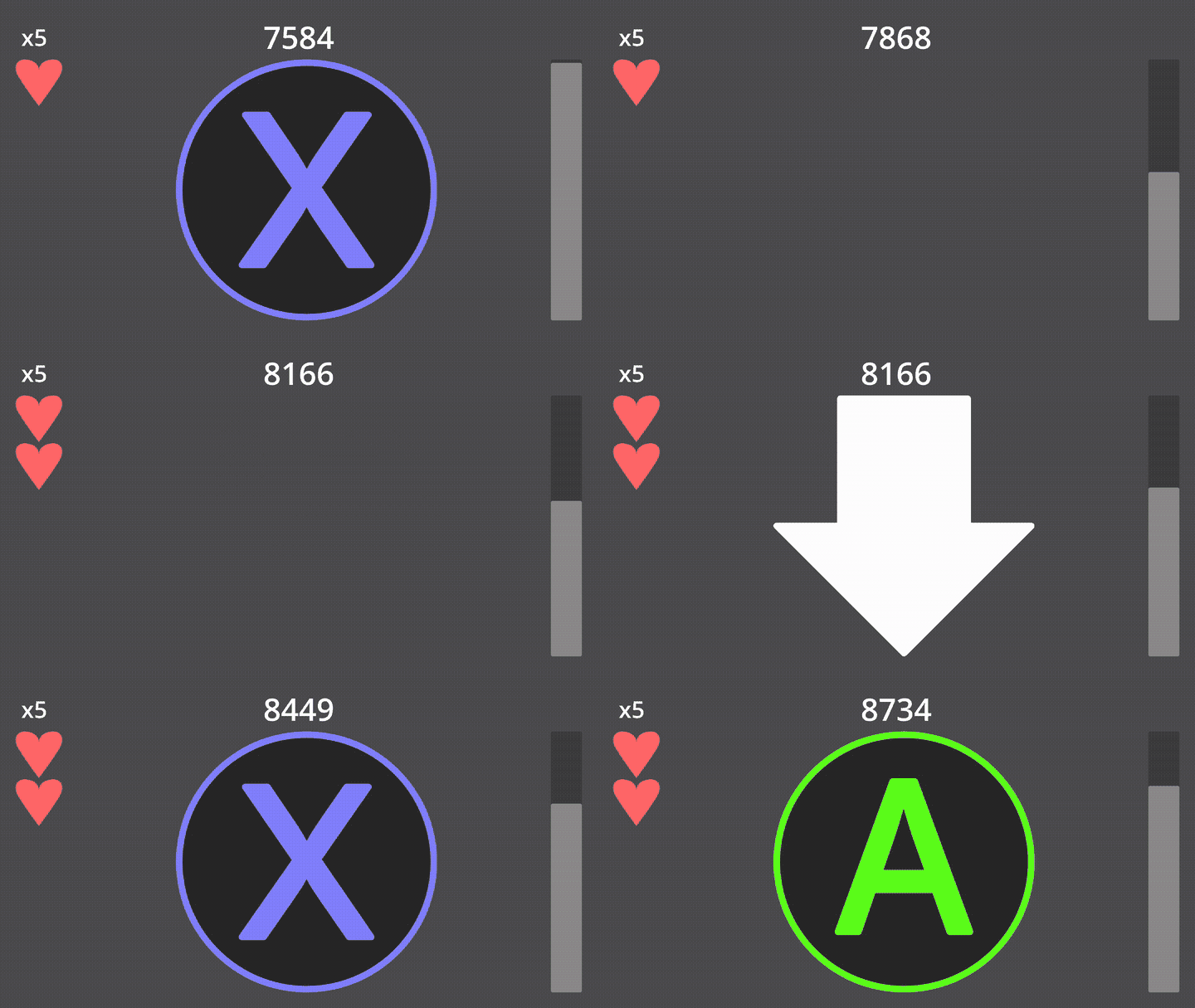
As an experienced player playing on Easy, I found it extremely easy to get to an insane score multiplier, making me earn lives faster than I lost them. As such, I might want to limit the maximum number of lives you can earn, or perhaps put a cap on the score multiplier. Though if I truly wanted a challenge, I could also just go to the higher difficulties.
It’s Not Perfect
There are flaws in both the menus and the scoring system for the game. And yet, I want to post about the game since I believe it’s worth talking about the process. I struggle a lot with perfectionism. I let projects I work on fizzle out since they’re not living up to the high expectations I have of them in my mind.
I recently watched a YouTube video called “Advice for Perfectionists & Procrastinators: The 70% Rule” by struthless. There’s a lot in that video that resonates with me, but the one quote that stuck with me the most is “Your body of work is only good as the projects you finish.” As much as I can nitpick myself into working on the minutia and still being dissatisfied to the point I just want to scrap it all and move on to the next thing… I instead should step back, take a breath, and ask if it’s at least 70% good.
QTE as a whole isn’t at that point, but of the specific features I’ve been working on, I’d say I’m doing just fine. I just need to keep at it until it’s good enough to release. Then I can say that I finally published my first game. My first game. I will make more. I just need to get through this. My body of work is only as good as the projects I finish, after all. See you in the next post.